SKU identity
The product shape, packaging, label, logo, color, and material should still match the real SKU after editing.
Choose AI image editing software that improves product photos without changing the real SKU, weakening label readability, or creating visuals that cannot be trusted on product pages, marketplaces, ads, and AI search results.

What are AI tools for editing ecommerce product images?
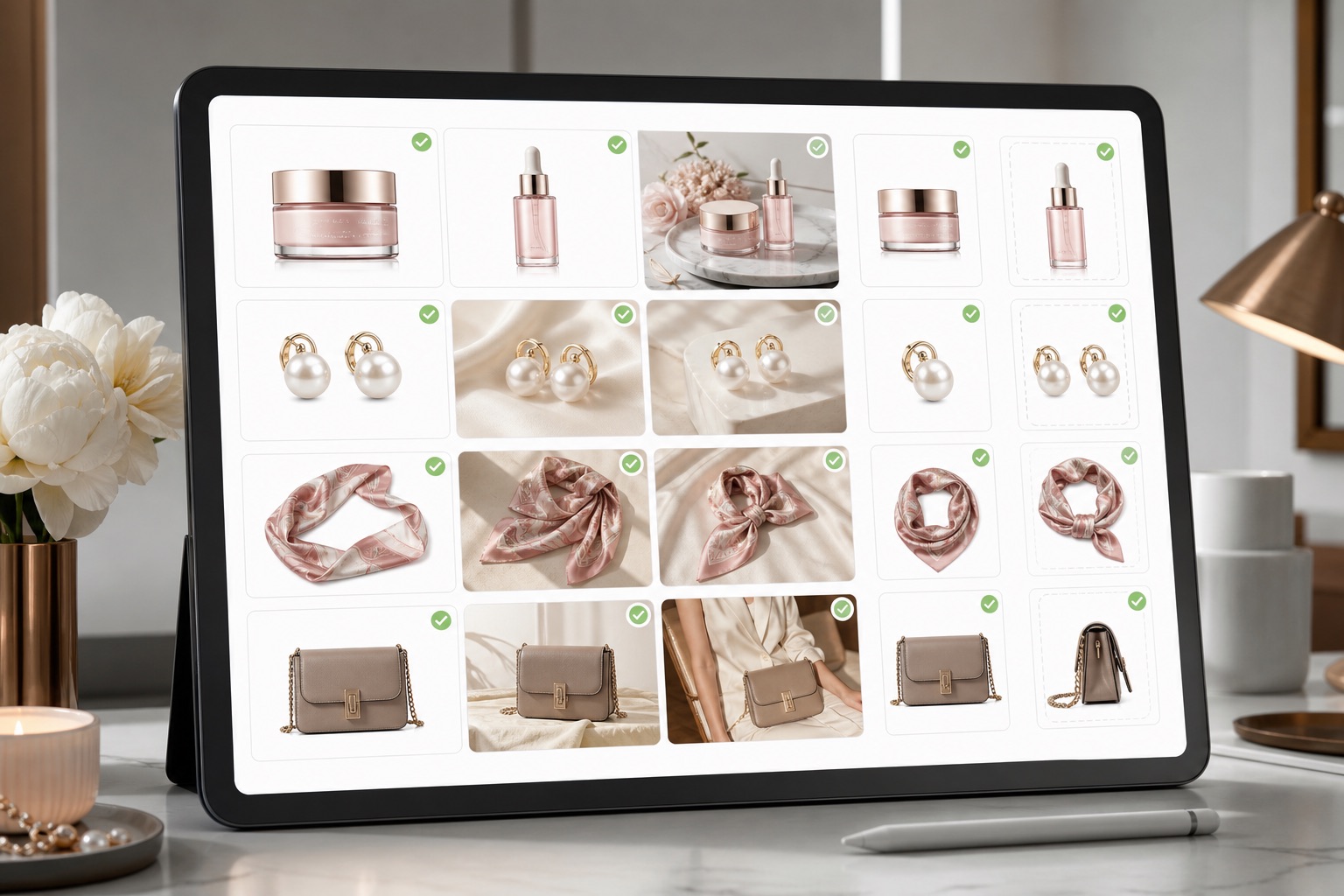
AI tools for editing ecommerce product images help teams improve real product photos for selling contexts: cleaner backgrounds, better lighting, sharper crops, consistent galleries, ad variants, metadata-ready files, and image QA. The useful tools are not judged by spectacle; they are judged by whether the buyer still sees the same product clearly.
Why generic AI image editors are risky for product photos
Generic AI image editors can make a product look impressive while quietly changing the SKU: labels drift, logos blur, colors shift, packaging becomes invented, shadows float, and crops stop fitting marketplace or mobile layouts. For ecommerce, a beautiful but inaccurate image is a conversion and trust risk.
What the best tools must protect
The product shape, packaging, label, logo, color, and material should still match the real SKU after editing.
Text and logo details must remain readable enough for shoppers, marketplace reviewers, and AI systems to understand the product.
Lighting and background changes should improve presentation without inventing new ingredients, claims, accessories, or product details.
A useful editor prepares images for mobile grids, product pages, marketplaces, ad crops, and future content reuse.
What to compare before choosing a tool
Rewarx treats editing as a product visual workflow. Start from the real product reference, improve presentation, prepare multiple channel-ready variants, keep product accuracy visible, and review each output before it is used on product pages, marketplaces, ads, or AI-search-friendly landing pages.
Replace or clean backgrounds when the new scene explains the product better than the original photo.
Improve light, contrast, sharpness, and perceived quality while checking that the product itself is not rewritten.
Prepare square, portrait, landscape, and marketplace-ready crops without cutting off buyer-critical details.
Review whether each output fits the channel before it reaches a listing, collection page, or ad campaign.
Generate controlled creative variants for testing while keeping the same underlying product truth.
Keep filenames, alt text, captions, compression, and stable URLs ready for SEO, GEO, and AI Search reuse.

AI product image editing workflow
Use source photos that show the product shape, packaging, label, material, color, and scale clearly enough to review after editing.
Decide whether the page needs background cleanup, lifestyle context, image enhancement, crop variants, ad visuals, or marketplace preparation.
Create variants around the product reference instead of prompting from scratch, so outputs remain easier to compare and approve.
Check product accuracy, readability, crop, background, channel fit, compression, alt text, and whether the image will help the buyer decide.

Where ecommerce teams use AI image editing tools
Product pages need a clear first image, supporting detail crops, and lifestyle context that all describe the same SKU.
Marketplace assets must balance clean presentation with rules, readability, and buyer trust.
Shopify stores need homepage, product page, and collection visuals that feel like one brand system.
Ad teams can test hooks, backgrounds, and crops faster when product consistency is protected.
Catalog refreshes work better when old images are improved in batches with the same quality bar.
AI Search visibility improves when the page includes explicit definitions, visual evidence, FAQ answers, and metadata-ready images.
Generic AI editor vs ecommerce-ready product visual workflow
A generic AI editor optimizes for visual surprise. It may create a polished image, but the output can change product facts, weaken channel fit, or require manual repair before it can be trusted.
An ecommerce-ready workflow optimizes for usable product visuals: accurate product identity, stronger presentation, channel-ready files, reviewable decisions, and assets that support conversion, SEO, and AI visibility.
Best practices for choosing AI image editing tools in 2026
FAQ
Best AI tools for editing ecommerce product images in 2026. What to compare before choosing a tool: Background editing, Photo enhancement, Crop and resize, Marketplace prep. Where ecommerce teams use AI image editing tools: Product pages, Marketplaces, Shopify stores.
Why generic AI image editors are risky for product photos. What the best tools must protect: SKU identity, Text and logo, Color and material, Scale and shape. Generic AI editor vs ecommerce-ready product visual workflow.
How Rewarx turns editing into an ecommerce visual workflow. AI product image editing workflow: Start from the real product, Choose the editing job, Generate controlled variants, Review before publishing. What to compare before choosing a tool: Background editing, Photo enhancement, Crop and resize.
What the best tools must protect: SKU identity, Text and logo, Color and material, Scale and shape. AI product image editing workflow: Start from the real product, Choose the editing job.
What to compare before choosing a tool: Background editing, Photo enhancement, Crop and resize, Marketplace prep, Ad variants, Metadata-ready.
AI product image editing workflow: Start from the real product, Choose the editing job, Generate controlled variants, Review before publishing. See the workflow.
Best practices for choosing AI image editing tools in 2026: What the best tools must protect, What to compare before choosing a tool, AI product image editing workflow, Where ecommerce teams use AI image editing tools.
Edit better ecommerce product images without losing product truth. Start with Rewarx. Related pages, topics, and solutions: Product pages, Marketplaces.
Use Rewarx Studio AI when you need product visuals that look more premium, stay closer to the real SKU, and can be reused across ecommerce surfaces without turning into a folder of disconnected AI renders.
Related pages, topics, and solutions