Buyer expectation
Shopify's apparel photography guidance still values multiple styles such as flat lay, model, mannequin, lifestyle, detail, and angle coverage.
Turn flat-lay, hanger, or product-only garment references into premium on-model ecommerce visuals while keeping the clothing recognizable. Rewarx helps fashion teams improve presentation, review product accuracy, and publish images that support discovery and buyer decision.
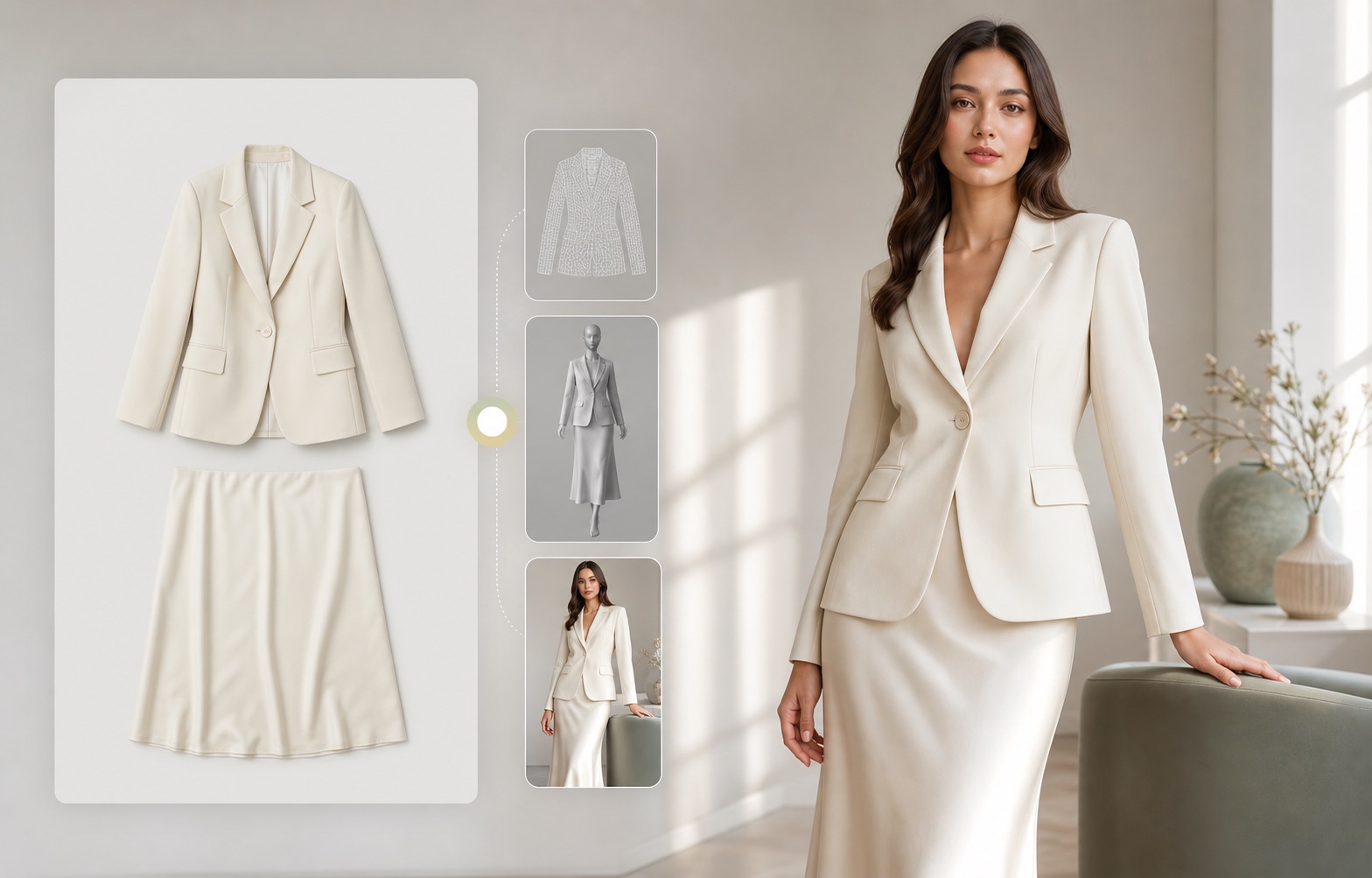
What is an AI Fashion Model Generator?
An AI fashion model generator creates model-worn apparel images from a real garment reference. For ecommerce, the goal is not a fantasy model image. The goal is a credible product visual where cut, color, fabric, neckline, sleeve, hem, pattern, buttons, and fit cues remain faithful enough for a shopper to trust the product.
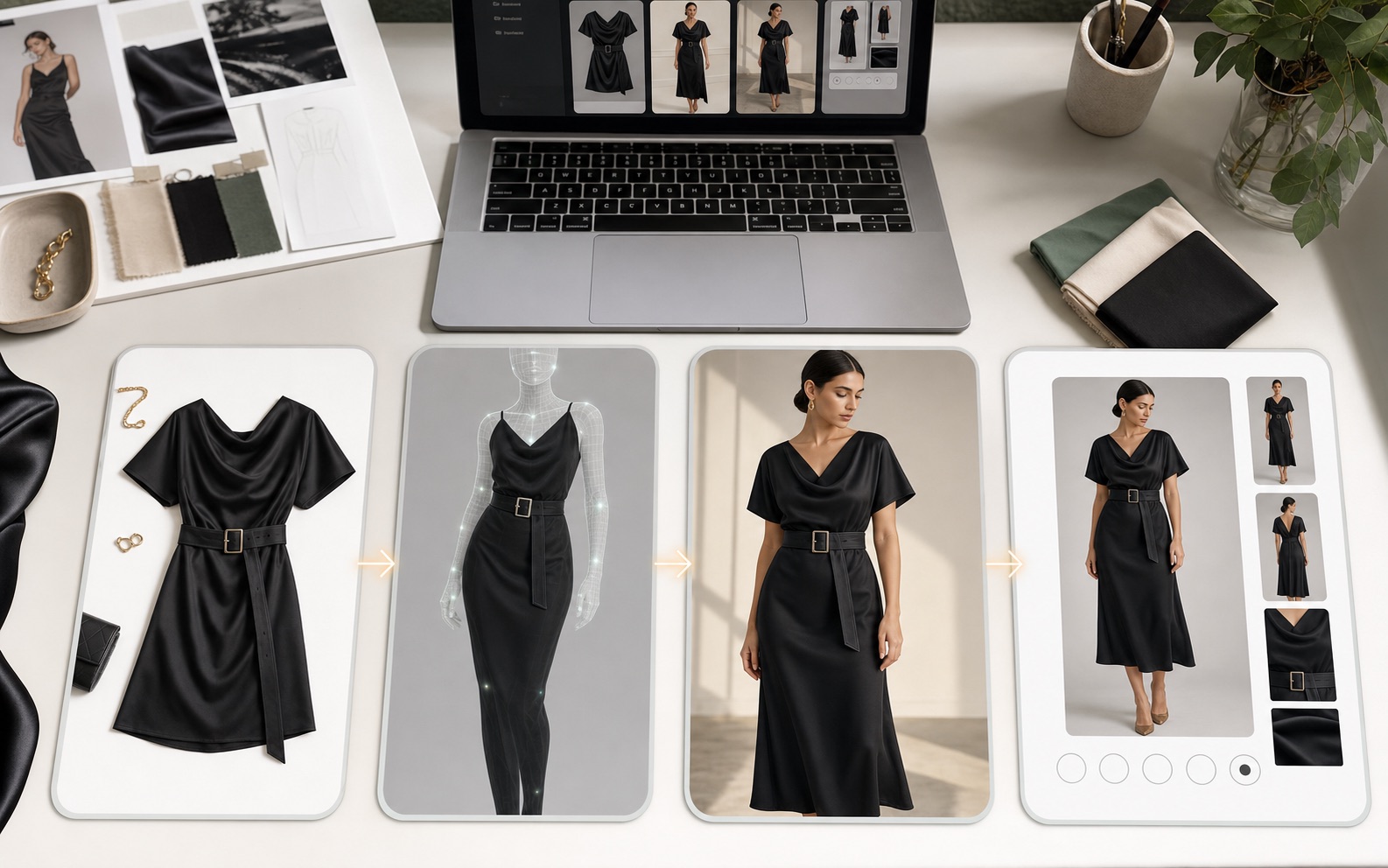
Current market read
Current fashion-image tools now pitch model images, flat lays, mannequin-to-model output, video, styled looks, pose changes, and bulk creative production. That raises the bar for Rewarx: the page must sell garment accuracy, review discipline, and a Shopify install path, not generic image novelty.
Shopify's apparel photography guidance still values multiple styles such as flat lay, model, mannequin, lifestyle, detail, and angle coverage.
Current apps promote AI models, videos, flat-lay-to-model output, pose changes, styled looks, and bulk generation for fashion stores.
AI model imagery now carries visible consent, likeness, and trust questions, so Rewarx should avoid fit, identity, or legal promises.
Position the product around reference-led creation, garment review, channel crops, buyer clarity, and Shopify App installation.
Why fashion teams need more than generic AI images
Fashion shoppers buy from visual confidence. A generic AI image may look polished, but if it changes a waist tie, sleeve shape, fabric weight, print scale, or length, it can damage trust and create buyer confusion. The image has to be attractive and commercially honest.
What a fashion model image system must protect
Preserve color, cut, neckline, sleeve, hem, closure, pattern, fabric texture, and included accessories.
Use believable body proportions, natural pose, realistic hands, and styling that supports the product instead of overpowering it.
Create first image, full-body model view, detail crops, lifestyle context, and social-ready variants from one visual system.
Make the product readable in Shopify cards, collection grids, TikTok-style crops, and ad previews.
Check whether generated images still match the reference before publishing or testing.
Use descriptive filenames, alt text, captions, and page context so search engines and AI systems can understand the image role.
Reference-first workflow
Rewarx starts with a product reference, generates controlled model visuals, and keeps review criteria close to ecommerce use: garment identity, model pose, crop, mobile clarity, gallery role, marketplace fit, and whether the image helps a buyer understand the item.
Use clean flat-lay, hanger, mannequin, or product-only images with visible garment shape and detail.
Select realistic pose, body framing, lighting, and market-appropriate styling for the product category.
Create on-model images for product pages, galleries, collection grids, ads, and creative testing.
Compare output with the reference and keep only images that improve presentation without changing the product.
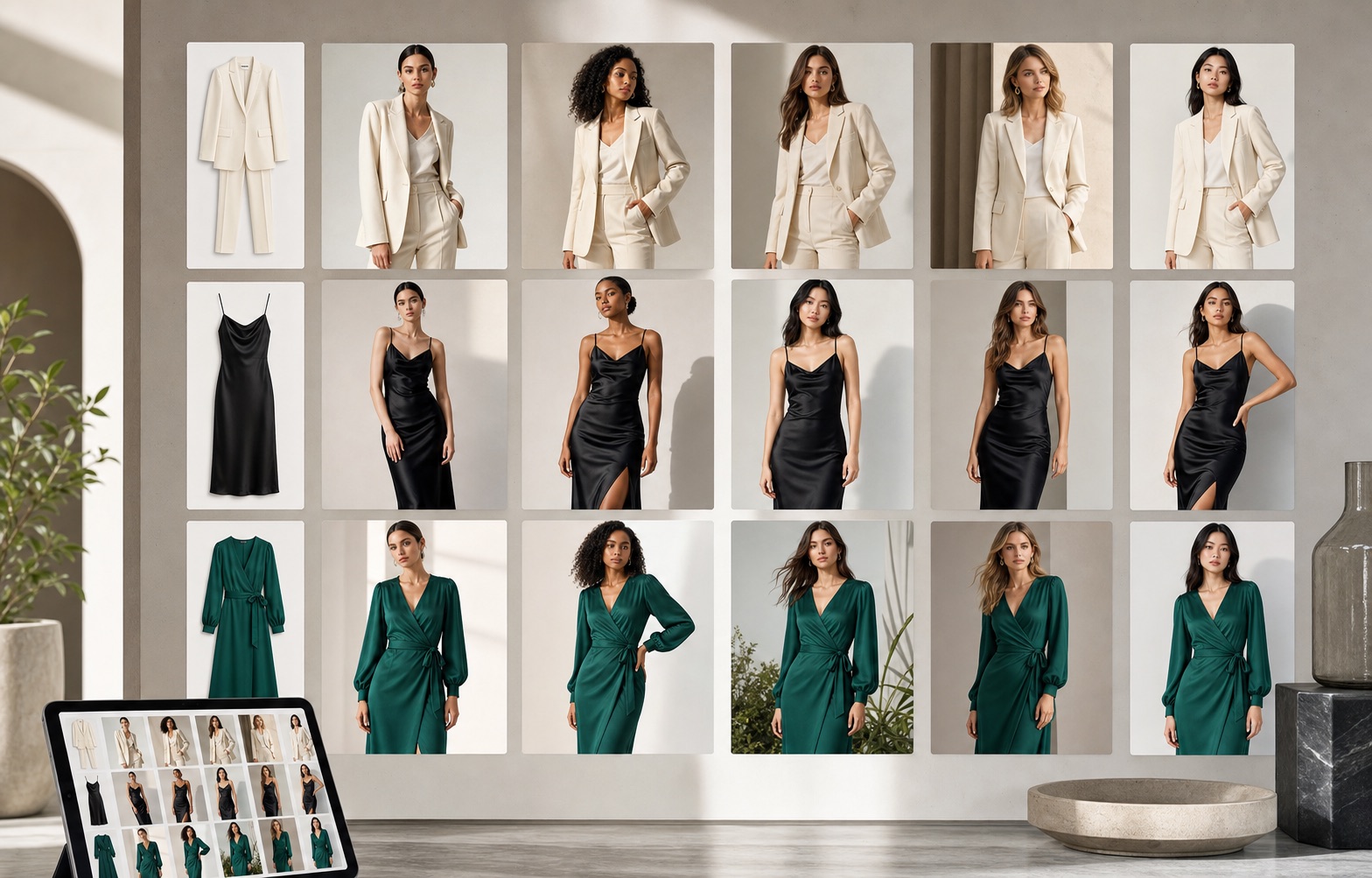
Where ecommerce teams use AI model images
Replace one-dimensional product-only images with a believable model view that explains fit and length.
Build a consistent visual rhythm for seasonal drops, capsule collections, and category pages.
Test model pose, crop, color background, and visual hook without scheduling a new shoot for every concept.
Create secondary images that help shoppers understand use, scale, and fabric behavior.
Use model images to make product storytelling feel more human and less product-only.
Pair visible explanations with optimized image metadata so assistants can describe the asset accurately.
Generic model generation vs Rewarx fashion workflow
Generic AI model generators often prioritize a pretty scene. They can quietly change garment length, neckline, waist detail, print scale, fabric, or fit.
A Rewarx workflow treats the garment as the source of truth, then improves styling, gallery usefulness, and creative range while keeping product review in the loop.
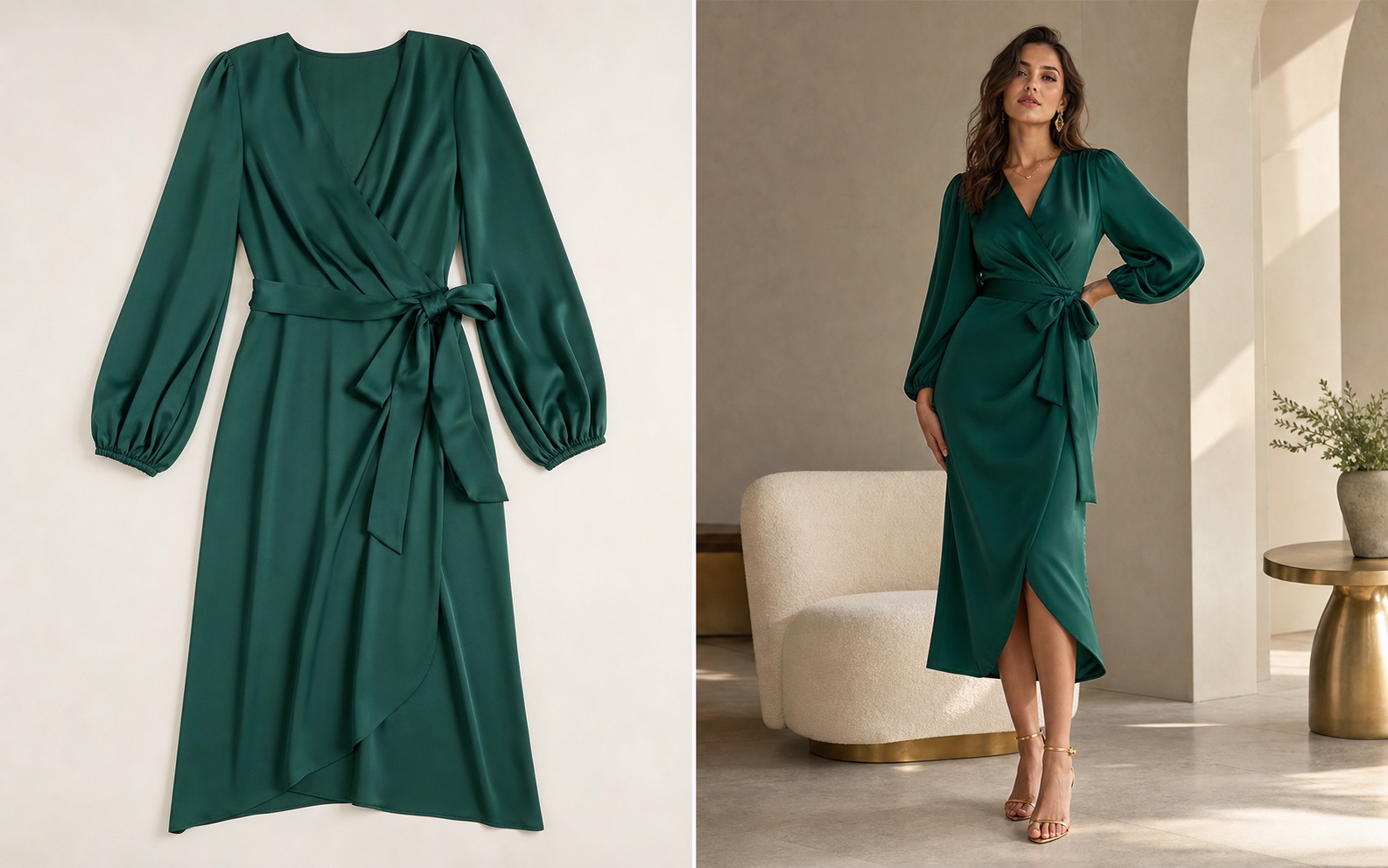
Best-fit use cases and limits
FAQ
Yes. The practical ecommerce use case is to start with a real garment reference and create believable on-model visuals that keep the item recognizable.
personalized fitting preview usually focuses on showing a garment on a specific person. An ecommerce fashion model generator focuses on creating commercial model images for product pages, galleries, and ads.
Check garment color, cut, neckline, sleeves, hem, closure, pattern scale, fabric behavior, model pose, crop, mobile clarity, and whether the image could mislead shoppers.
Yes. Shopify stores can use model images to explain fit, improve product galleries, refresh collection pages, and test ad creatives.
No. Some products need technical pack shots, size guides, or detail images more than model context. The best gallery usually combines product-only, model, detail, and lifestyle views.
No. This page focuses on creating and reviewing ecommerce-ready visuals. Do not assume store operations workflow, store operations, or one-click export unless those features are explicitly available.
Clean front-facing garment images, flat-lays, mannequin shots, hanger shots, and product photos with visible structure usually work better than cropped or cluttered references.
The page provides definitions, workflow, comparison, best practices, FAQ, descriptive filenames, alt text, captions, and structured data so AI systems can understand and cite the topic.
Use Rewarx to create premium model-style apparel visuals that stay grounded in the real garment and fit ecommerce review workflows.
Related fashion and ecommerce pages
Install Rewarx for Shopify
Use this page as a practical bridge from fashion-model intent to a Rewarx workflow: upload a garment reference, generate model-style product visuals, review product accuracy, then prepare Shopify product-page, gallery, social, ad, and AI-search assets.
Start from a real apparel image so cut, color, print scale, fabric, neckline, sleeve, hem, and closures remain reviewable.
Treat generated people, poses, hands, and garment details as checkpoints before any product-page or ad use.
Shopify sellers should have a visible app route from the page instead of ending at an informational article.