Buyer trust
The image must make the product easier to understand, not create doubt about color, shape, material, logo, label, or scale.
Create clean white-background and transparent-style ecommerce visuals without making products look cut out, flat, distorted, or different from the real SKU.

What is AI background removal for product images?
AI background removal for product images uses AI to separate the real product from its original scene and prepare it for cleaner ecommerce use. A strong workflow preserves edge quality, contact shadows, material texture, product color, scale, and SKU identity instead of only deleting pixels.
Decision context
For AI Background Removal for Product Images, the real challenge is not making one impressive image. Ecommerce teams need a repeatable way to create visuals that match the product, fit the channel, and help a buyer decide.
The image must make the product easier to understand, not create doubt about color, shape, material, logo, label, or scale.
Stores need more image variations for launches, collections, ads, marketplaces, and seasonal campaigns without turning every update into a full shoot.
A hero image, product gallery, social ad, marketplace crop, and mobile collection tile each need a different visual job.
Nauwkeurigheidsworkflow
A strong Rewarx Studio AI workflow starts from the product reference, builds useful commercial contexts around it, and keeps accuracy review close to publication.
Use the reference as the source of truth for shape, proportions, visible branding, packaging, material, and important label areas.
Generate backgrounds, model scenes, detail views, and campaign visuals that explain use, quality, size, and buying intent.
Choose the best image only after checking product fidelity, crop, contrast, mobile readability, and whether the image helps the page convert.
Keep winning styles, prompts, crops, filenames, alt text, and review notes so future SKUs can be produced with less guesswork.

Where it fits
Use the visual set where it answers a buyer question, reduces production delay, or gives the team a stronger creative test without sacrificing product accuracy.
Show the item clearly, then add lifestyle and detail images that make quality, texture, size, and use easier to judge.
Create controlled variations for creative testing while keeping the SKU recognizable across every campaign.
Prepare cleaner crops, consistent backgrounds, and scannable images for small screens and external channels.
AI background removal workflow
Use source photos that clearly show the product outline, materials, handles, chains, labels, color, and scale.
Separate the subject while protecting thin details, reflective edges, transparency, texture, and natural contact shadows.
Check whether the cutout still looks like a real object, not a floating sticker or a changed product.
Use white backgrounds, clean galleries, ad crops, or marketplace-ready files with descriptive names, alt text, and stable URLs.

Where ecommerce teams use background removal
Product pages: Use Rewarx Studio AI to remove distracting backgrounds, keep the real product recognizable, and create clean ecommerce visuals for product pages, marketplaces, ads, and catalog QA.
Marketplace listings: AI background removal for product images uses AI to separate the real product from its original scene and prepare it for cleaner ecommerce use. A strong workflow preserves edge quality, contact shadows, material texture, product color, scale, and SKU identity instead of only deleting pixels.
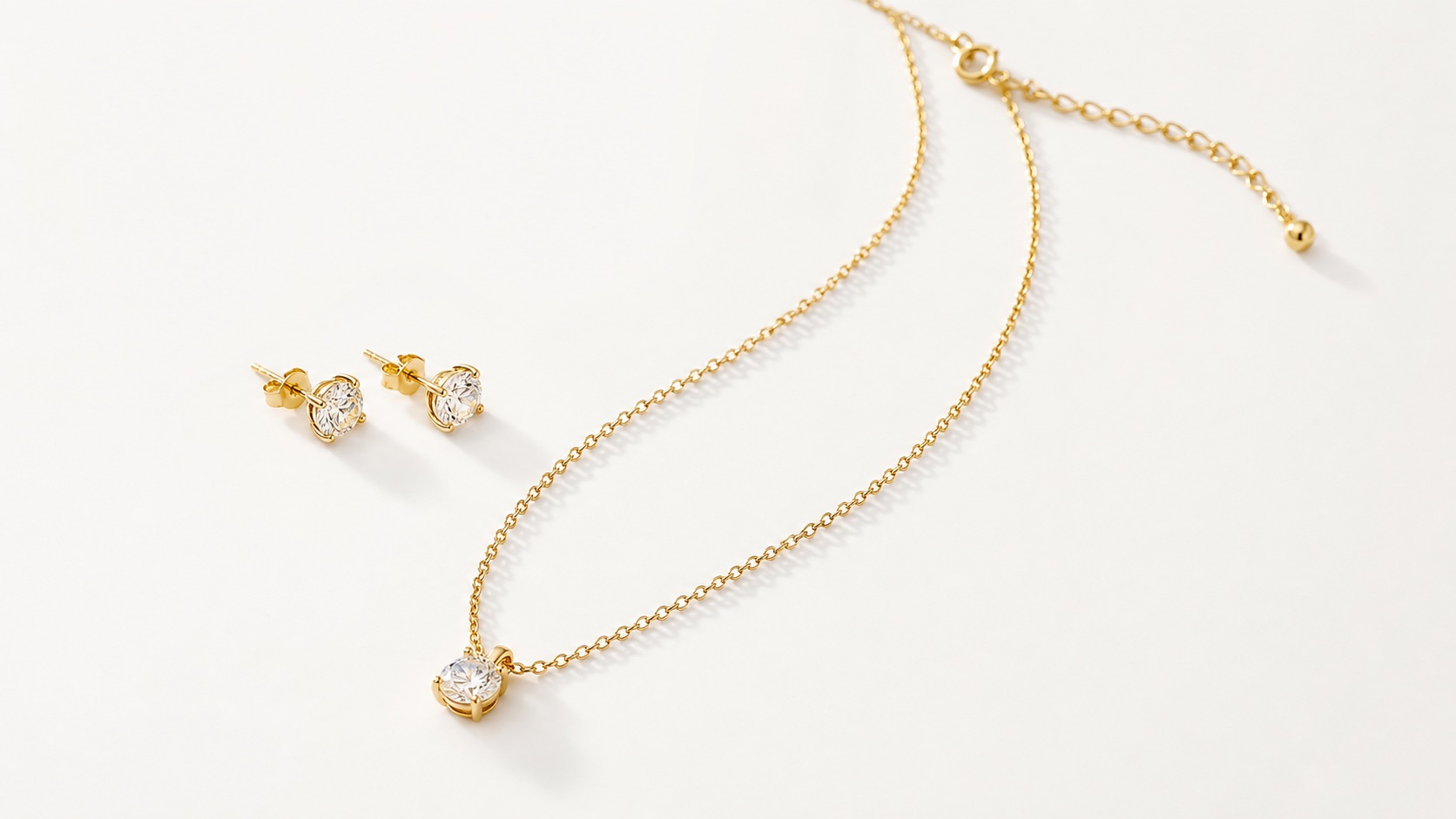
White background images: Many background removers produce a technically clean cutout but leave a commercial problem: jagged hairline edges, lost jewelry chains, clipped handbag handles, fake floating shadows, color shifts, or products that look smaller and less premium after removal.
Ad creatives: Rewarx treats background removal as ecommerce image production. It reviews the product reference, isolates the subject, preserves believable shadows and edge detail, then prepares outputs for white backgrounds, product pages, marketplace images, ad creatives, and AI search-ready galleries.
Catalog cleanup: Check whether the cutout still looks like a real object, not a floating sticker or a changed product.
Batch image QA: A Rewarx workflow focuses on usable ecommerce output: clean background, realistic product grounding, preserved details, better gallery consistency, and product truth.
Basic background remover vs ecommerce-ready workflow
A basic remover focuses on deleting the background. It can clip details, flatten shadows, shift color, or make a premium product feel cheaper.
A Rewarx workflow focuses on usable ecommerce output: clean background, realistic product grounding, preserved details, better gallery consistency, and product truth.
Best practices for background-removed product photos
FAQ
What is AI background removal for product images?: AI background removal for product images uses AI to separate the real product from its original scene and prepare it for cleaner ecommerce use. A strong workflow preserves edge quality, contact shadows, material texture, product color, scale, and SKU identity instead of only deleting pixels.
Why background removal can hurt product trust: Many background removers produce a technically clean cutout but leave a commercial problem: jagged hairline edges, lost jewelry chains, clipped handbag handles, fake floating shadows, color shifts, or products that look smaller and less premium after removal.
How Rewarx creates cleaner cutouts with product accuracy: Rewarx treats background removal as ecommerce image production. It reviews the product reference, isolates the subject, preserves believable shadows and edge detail, then prepares outputs for white backgrounds, product pages, marketplace images, ad creatives, and AI search-ready galleries.
What a good product cutout must preserve: Edges and fine details, Realistic shadows, Color and material, SKU identity. AI background removal for product images uses AI to separate the real product from its original scene and prepare it for cleaner ecommerce use. A strong workflow preserves edge quality, contact shadows, material texture, product color, scale, and SKU identity instead of only deleting pixels.
What Rewarx optimizes before publishing: Cutout quality, Shadow grounding, White background fit, Marketplace readiness, Gallery consistency, AI search context. A Rewarx workflow focuses on usable ecommerce output: clean background, realistic product grounding, preserved details, better gallery consistency, and product truth.
AI background removal workflow: Start with the real product -> Remove the background -> Review ecommerce quality -> Publish by channel. Rewarx treats background removal as ecommerce image production. It reviews the product reference, isolates the subject, preserves believable shadows and edge detail, then prepares outputs for white backgrounds, product pages, marketplace images, ad creatives, and AI search-ready galleries.
Best practices for background-removed product photos: Use Rewarx Studio AI to remove distracting backgrounds, keep the real product recognizable, and create clean ecommerce visuals for product pages, marketplaces, ads, and catalog QA. Use white backgrounds, clean galleries, ad crops, or marketplace-ready files with descriptive names, alt text, and stable URLs.
Create cleaner product images without losing the product: Use Rewarx Studio AI to remove distracting backgrounds, keep the real product recognizable, and create clean ecommerce visuals for product pages, marketplaces, ads, and catalog QA. Start with Rewarx.
Use Rewarx Studio AI to remove distracting backgrounds, keep the real product recognizable, and create clean ecommerce visuals for product pages, marketplaces, ads, and catalog QA.
Related pages, topics, and solutions