Photograph Necklace Length and Extenders Without Ambiguous Fit Claims
Updated November 5, 2026
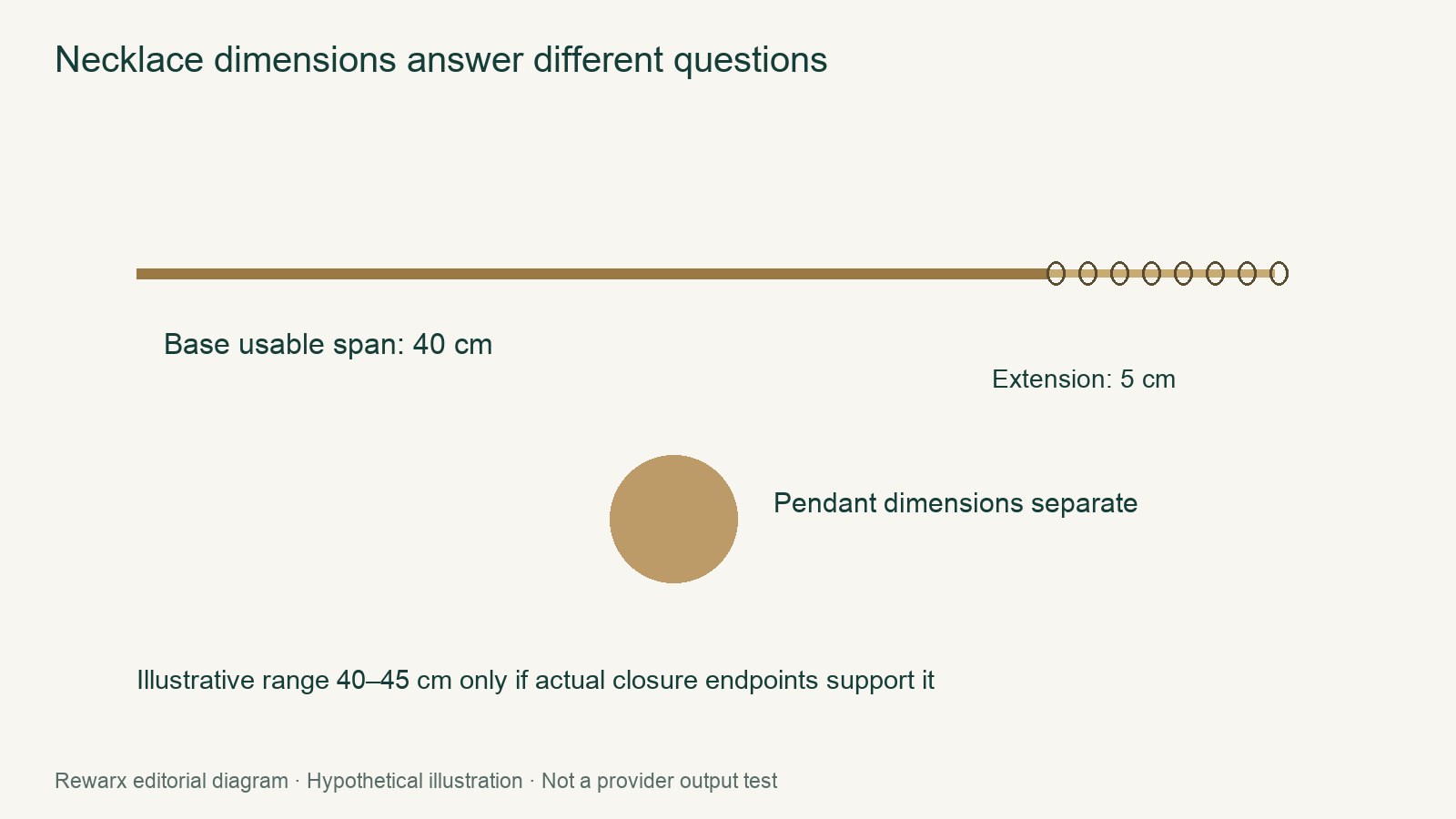
Direct answer: Treat necklace size as a measured specification, not an inference from how it looks on a person. Keep four facts separate: usable closure-to-closure chain span, extender adjustment range, pendant dimensions, and worn placement as visual context. In the editorial example, a 40 cm base chain plus a 5 cm extender adjustment range may be stated as 40–45 cm usable only if actual measured closure endpoints support that range. The 40–45 cm figure excludes the pendant; pendant dimensions are stated separately.
Separate the four facts
- Usable closure-to-closure chain span: Identify the usable start and end points under the selected supplier/retailer method, then show the resulting span.
- Extender adjustment range: Record the extender’s usable contribution separately from the base chain span.
- Pendant dimensions: State them independently so they are not mistaken for part of the chain measurement.
- Worn placement: Use the adult image only as visual context for how the finished piece sits.
The verified QxH/HSN vendor measurement guide gives closure-specific usable-length instructions and says extender inclusion must be accounted for. It is one retailer method, not a universal standard, so follow the selected supplier/retailer specification.
Use five complementary photos
| Photo | What to show | Fact it can establish |
|---|---|---|
| Straight chain with scale | Lay the chain straight without pulling it taut. Keep the scale in the same plane and frame both usable endpoints. | The measured closure-to-closure span. |
| Close clasp and extension | Show the chain, clasp, extender attachment, and adjustment section together. | The relationship between the clasp, extender, and usable endpoints. |
| Pendant with dimensions | Show the pendant separately with a physical scale in frame and record its dimensions in the caption. | Pendant size only, not chain length. |
| Ordinary product hero | Show the complete jewelry item clearly without using the image to imply a measurement. | General product appearance. |
| Adult worn context | Show how the piece sits on an adult wearer without altering the drape to create a length impression. | Visual context only, not numerical length. |
Use an actual scale or a dimension confirmed by measurement. Do not add AI-generated ruler ticks; a precise-looking graphic cannot verify a physical span.
Label the example without turning arithmetic into proof
Use this editorial hypothetical:
- Base chain: 40 cm.
- Extender adjustment range: 5 cm.
- Combined usable closure-to-closure span: 40–45 cm, but only if actual measured closure endpoints support it.
- Pendant included in that number: No. Its dimensions remain a separate item.
Example listing copy: “Usable chain span: 40–45 cm, closure to closure. Extender adjustment range: 5 cm. Pendant dimensions: [state separately]. Pendant measurements are not included in the chain span.”
Use this wording only after measurement confirms the endpoints and the selected specification supports the configuration.
Keep the worn image contextual
The adult worn photo can show where the pendant and chain visually fall. It cannot establish the chain’s numerical length. Do not backfill or revise a measurement from neckline position, model anatomy, or a stretched drape. If the product looks different while worn, keep the measured specification and the visual context as separate kinds of information.
Update the existing listing and check the set
Shopify recommends useful jewelry product views and clear presentation. Apply that recommendation by adding the five coordinated views and replacing ambiguous fit language with labeled specifications in the existing Shopify listing.
- Open the selected supplier/retailer measurement specification. Use the QxH/HSN closure-specific method only if it is the selected source.
- Measure the actual chain, clasp setup, and extender at their usable endpoints. Record the base span and adjustment range separately.
- Measure and record the pendant separately, then state explicitly whether it is included in the chain number.
- Capture the five photos, with the straight-chain scale in the same plane and no AI-generated ruler ticks.
- Check that every number agrees across the listing copy, image captions, and actual measurements. Let each photo support only the fact assigned to it.
This gives shoppers a complete product view while keeping fit context, measurement, and component dimensions from being confused with one another.
Continue with the next task
Sources and scope
Sources checked November 5, 2026. Rewarx is the publisher. New covers are MiniMax-generated concept illustrations, not outputs of the reviewed tool, measured specimens, or proof of product accuracy. Use the labeled body diagrams for numerical examples. Worked examples and diagrams are labeled editorial illustrations; no merchant conversion result or hands-on provider benchmark is claimed.