Holiday Sale Badges on Product Photos: Separate Feed Images from Ads
Updated November 6, 2026
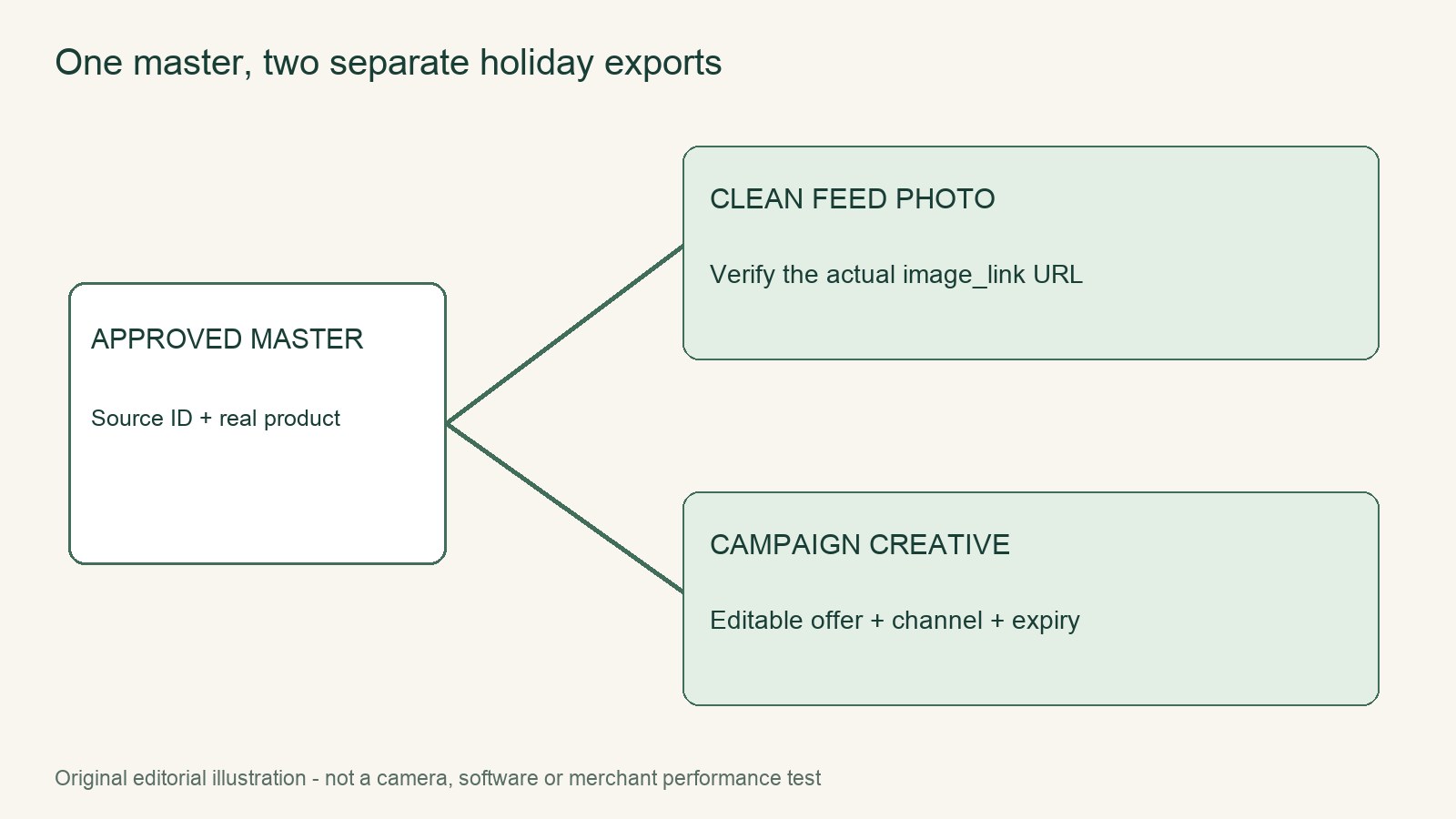
Create two export records for the holiday offer and keep their image URLs separate. The feed record should use a verified clean product photo of the navy tote. The campaign record may use an editable badge creative. Both records can share a source ID, but they must have distinct channel assignments, asset URLs, offer windows, and owners. This prevents a promotional badge from being assigned accidentally to the product feed. It does not, by itself, guarantee approval of the advertising creative.
Keep the clean photo and badge creative in separate lanes
Begin with the normal master image for the navy tote and preserve it unchanged. Build a clean holiday-feed record that points directly to that bitmap. Build a second, campaign-only record for an editable version containing the holiday badge. The badge in the example says “HOLIDAY OFFER” and does not represent a specific discount.
Neither record should be created by taking a storefront screenshot or exporting whatever composite happens to be visible. The clean record should identify the underlying product image, while the campaign record should identify the editable badge asset. This separation also keeps the offer window attached to the campaign rather than allowing a temporary promotional treatment to become part of the normal product master.
Do not treat a CSS badge as proof that the feed image is clean
Google Merchant’s image_link documentation prohibits promotional elements and overlays in product images, including calls to action, prices, promotions, and merchant advertising logos. A real brand mark appearing on the physical product is distinct from a retailer-added watermark; a holiday badge should not be classified as a product brand mark.
The separate promotion-image policy should not be treated as an exception for embedded promotional text or graphic badges. At the same time, a CSS sale badge that is not baked into the bitmap does not prove that the feed will use the clean version. Merchant uses the supplied image URL, not whatever visual happens to appear in a merchant’s theme. Verify the exact image_link rather than relying on the storefront preview.
Use two explicit export records
The following example shows the required fields. The source ID connects the records without merging their assets. The paths are illustrative and should be replaced with the actual, resolvable URLs.
| Export record | sourceID | channels | assetURL | offerWindow | owner |
|---|---|---|---|---|---|
| Clean product photo | HOLIDAY-TOTE-NAVY | Merchant feed | /assets/holiday-tote-navy-clean.jpg | Catalog master | Catalog owner |
| Editable badge campaign creative | HOLIDAY-TOTE-NAVY | Campaign only | /assets/holiday-tote-navy-campaign.jpg | December 1–24, illustrative only | Campaign owner |
Do not add the badge asset to the feed record because it shares the same source ID. Likewise, do not point the campaign record at the feed image if the campaign specifically requires the badge treatment. Each URL should have one clear purpose. Keep the editable design source separately; the campaign URL identifies its exported image, not the design project file.
Trace the image_link and landing-page file separately
Start with the generated Merchant record and copy its exact image_link value. Resolve that URL to the underlying file and confirm that it is the verified clean tote photo. Then open the landing-page file and trace its image reference to the same clean bitmap.
Record both mappings in the handoff notes: the URL used as image_link and the image reference in the landing-page file. This is a narrow holiday-export check, not another general feed-requirements audit. Its purpose is to identify where a badge might have entered the product-image path.
If the landing page displays a badge through CSS, note that the badge is a page overlay rather than part of the bitmap. Do not assume the feed will automatically inherit that clean bitmap. Confirm that the feed’s supplied URL itself points to the clean file.
Worked correction: the image_link resolves to the ad creative
In this hypothetical preflight example, the Merchant record’s image_link is found to resolve to /assets/holiday-tote-navy-campaign.jpg, the campaign asset, instead of /assets/holiday-tote-navy-clean.jpg.
- Verify that the clean photo is the correct navy-tote image.
- Replace the feed record’s
image_linkwith the clean photo URL. - Leave the campaign record pointed at the badge creative if that creative is still needed for the advertisement.
- Trace both the corrected feed URL and the landing-page image reference again.
- After the next recrawl, review the Merchant status and retain the reviewed status in the handoff record.
Correcting the URL removes the known cross-contamination, but it does not guarantee ad approval or an immediate status change. Report the actual Merchant status after review rather than promising a result in advance.
Roll back the holiday visual without rewriting product data
At the end of the offer window, stop routing the badge creative through campaign placements and restore any holiday image references to the normal master photo. Keep the badge asset archived as a campaign asset rather than overwriting the master image.
Perform a visual rollback check in three places:
- Confirm that the feed’s
image_linkresolves to the normal master image. - Open the landing-page file and confirm that the holiday badge is no longer rendered.
- Confirm that the campaign badge is not being supplied as the product image.
Keep price and promotion information in its own data records. Ending or changing the offer should not require creating a new product bitmap or restoring an old baked-in badge. This preserves one authoritative product photo while allowing the seasonal visual and the offer details to be controlled independently.
Continue with the next task
- Product photography and editing resources
- Fashion and model workflow resources
- Audit feed image requirements
Sources and scope
- Official documentation: support.google.com
- Official documentation: support.google.com
- Official documentation: support.google.com
Documentation checked November 6, 2026. Rewarx is the publisher. Covers are MiniMax-generated editorial concepts, not measured products or outputs of the tool discussed. Native diagrams and worked examples are labeled illustrations. No customer conversion result, physical product test, live marketplace transaction or hands-on provider benchmark is claimed.